
Recurring invoices (Pro)
The Recurring screen (/recurring) automatically generates invoices on a schedule, for retainers, subscriptions, or any client you bill the same amount on a regular basis. Pro-only feature.
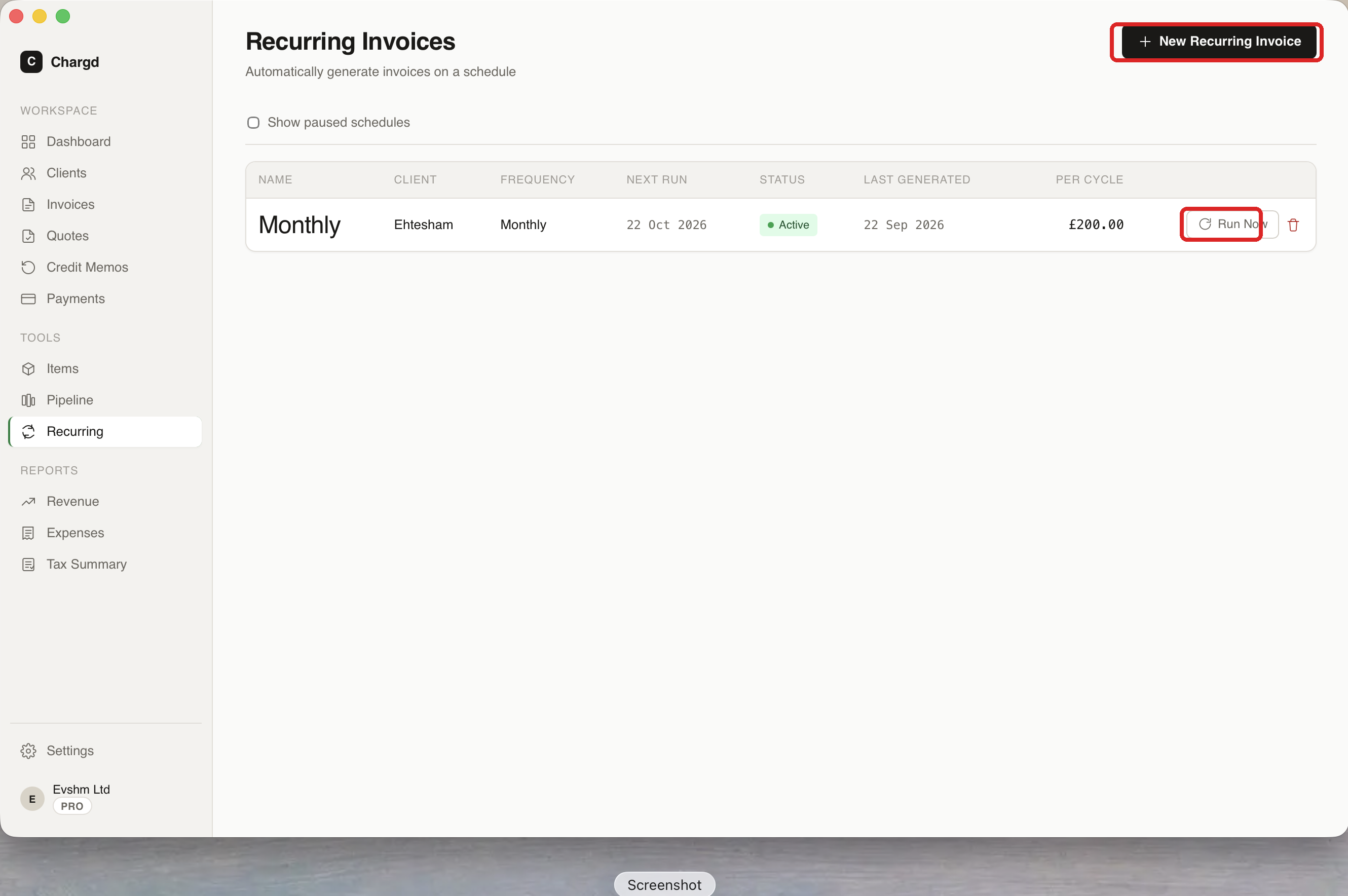 The left red circle marks + New Recurring Invoice; the right one marks Run Now on an existing schedule.
Setting up a recurring invoice
- Click + New Recurring Invoice (circled above).
- Choose the client and frequency (e.g. Monthly), and build the invoice's line items just like a normal invoice.
- Save, Chargd shows the schedule's next run date and generates a fresh invoice automatically on that date.
Managing a schedule
The table shows each schedule's name, client, frequency, next run date, status, last-generated date, and amount per cycle.
- Click Run Now to generate the next invoice immediately, without waiting for the scheduled date.
- Tick Show paused schedules to reveal any schedules you've paused.
- Click the trash icon to delete a schedule (this doesn't affect invoices already generated from it).
← Sales pipeline · Back to guide index · Next: Expense tracker →