
Features
Turn a finished job into a paid invoice.
Skip the admin. Quote the job, get it signed off, and Chargd turns it straight into a professional invoice, ready to send, no re-typing.
Download Free ↓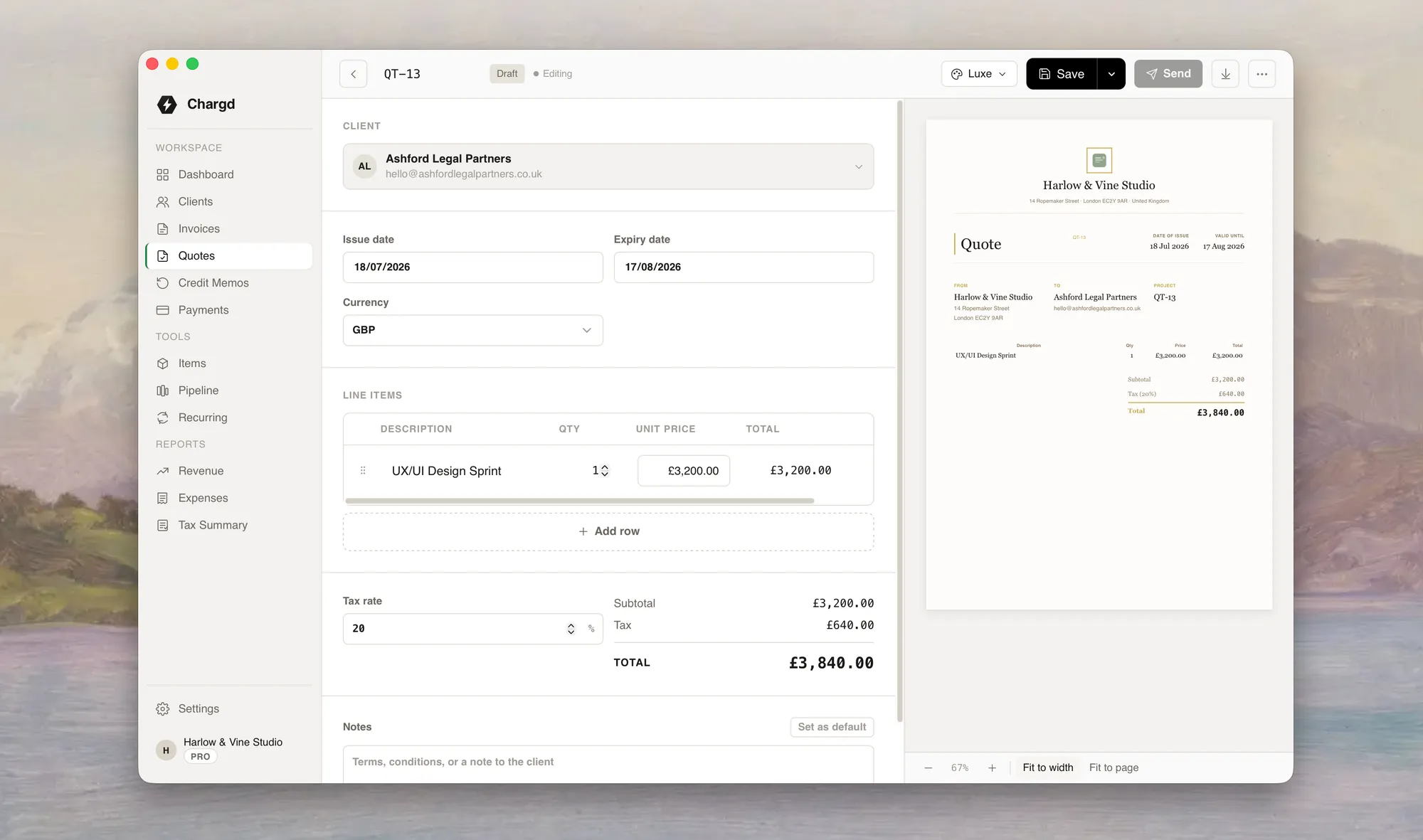
Every part of the job, covered
One native app for the entire billing workflow.
Invoices
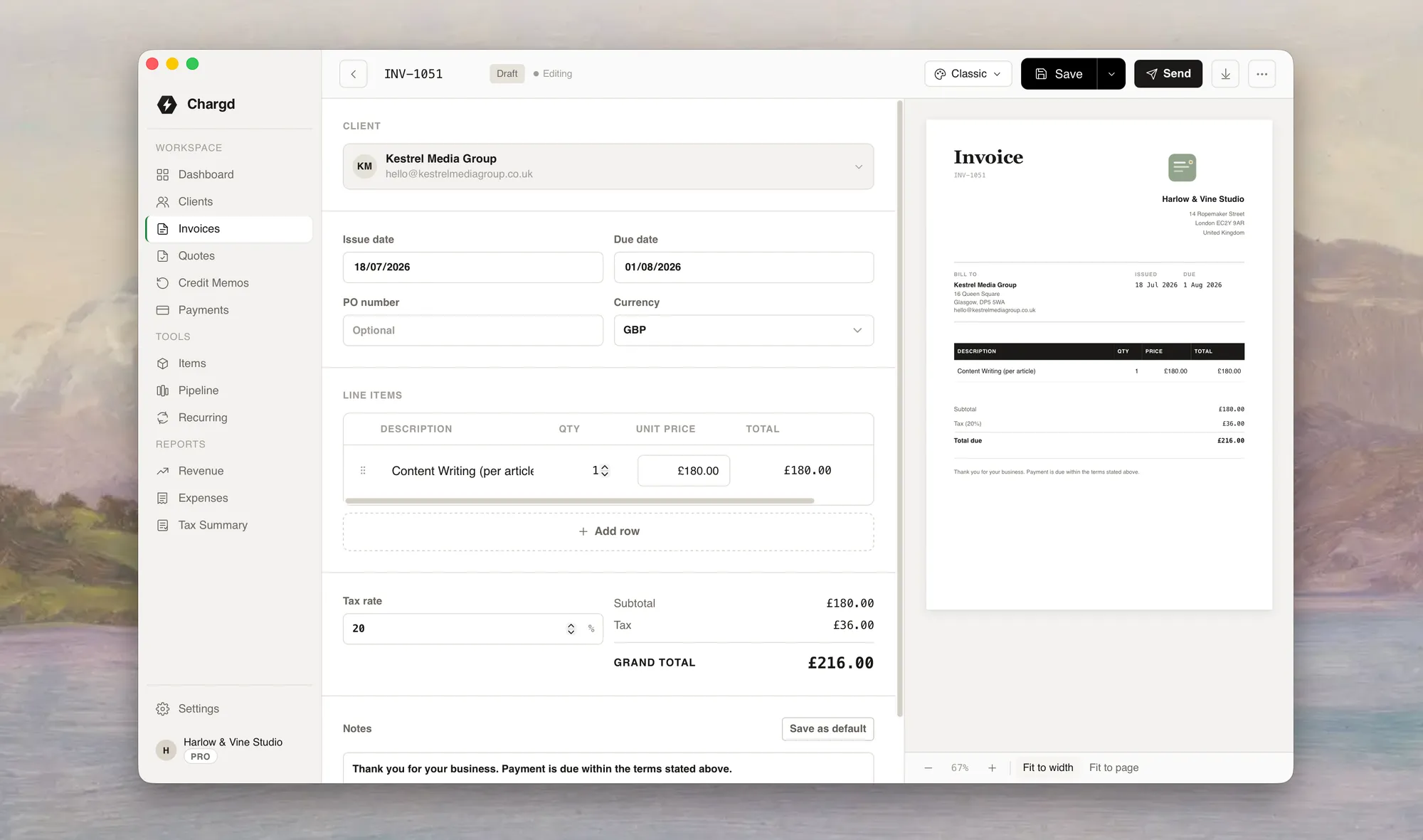
Build a professional invoice with line items, tax, and your logo in under a minute.
See invoicing →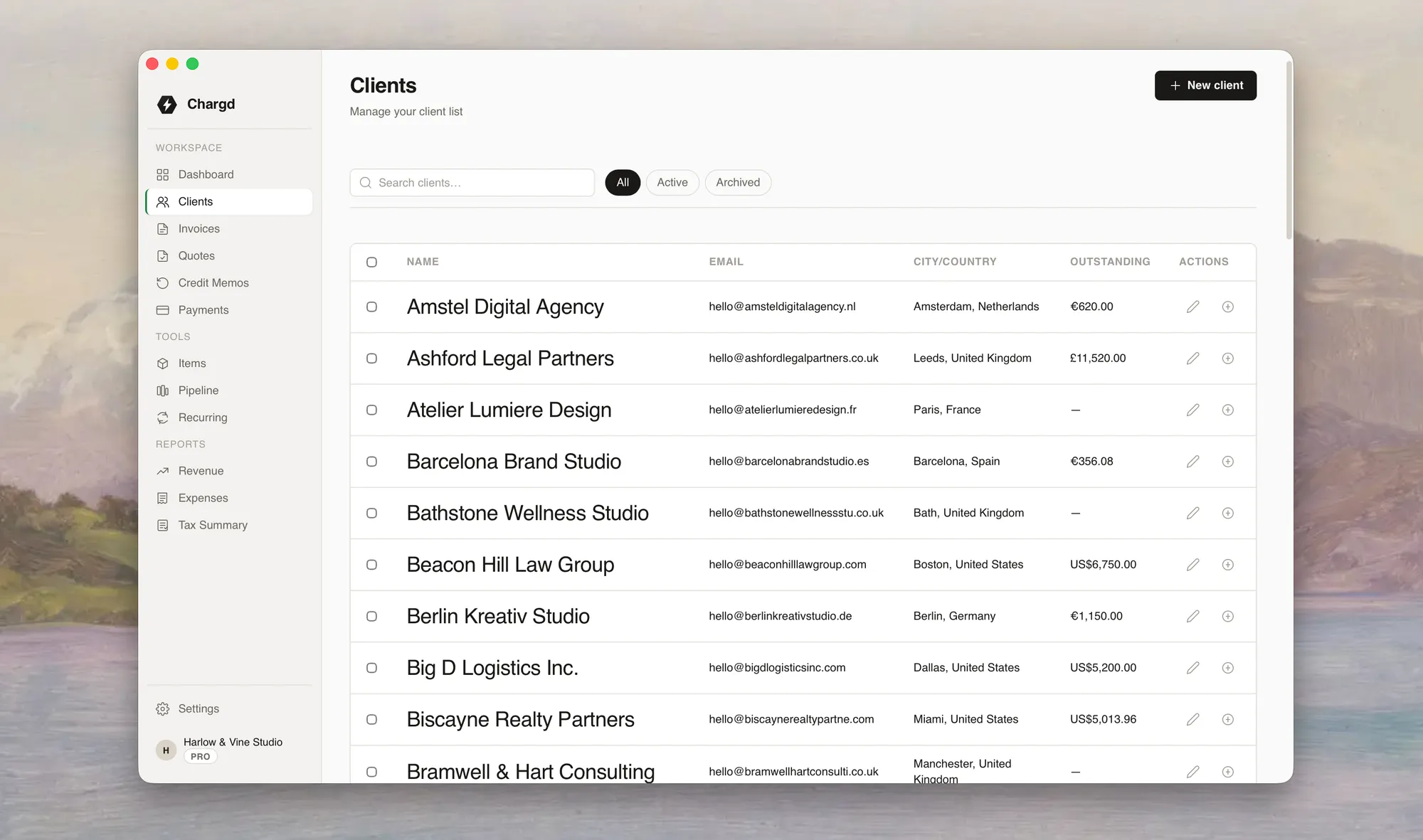
Clients
Every client's contact details, job history, and balance in one searchable list.
See clients →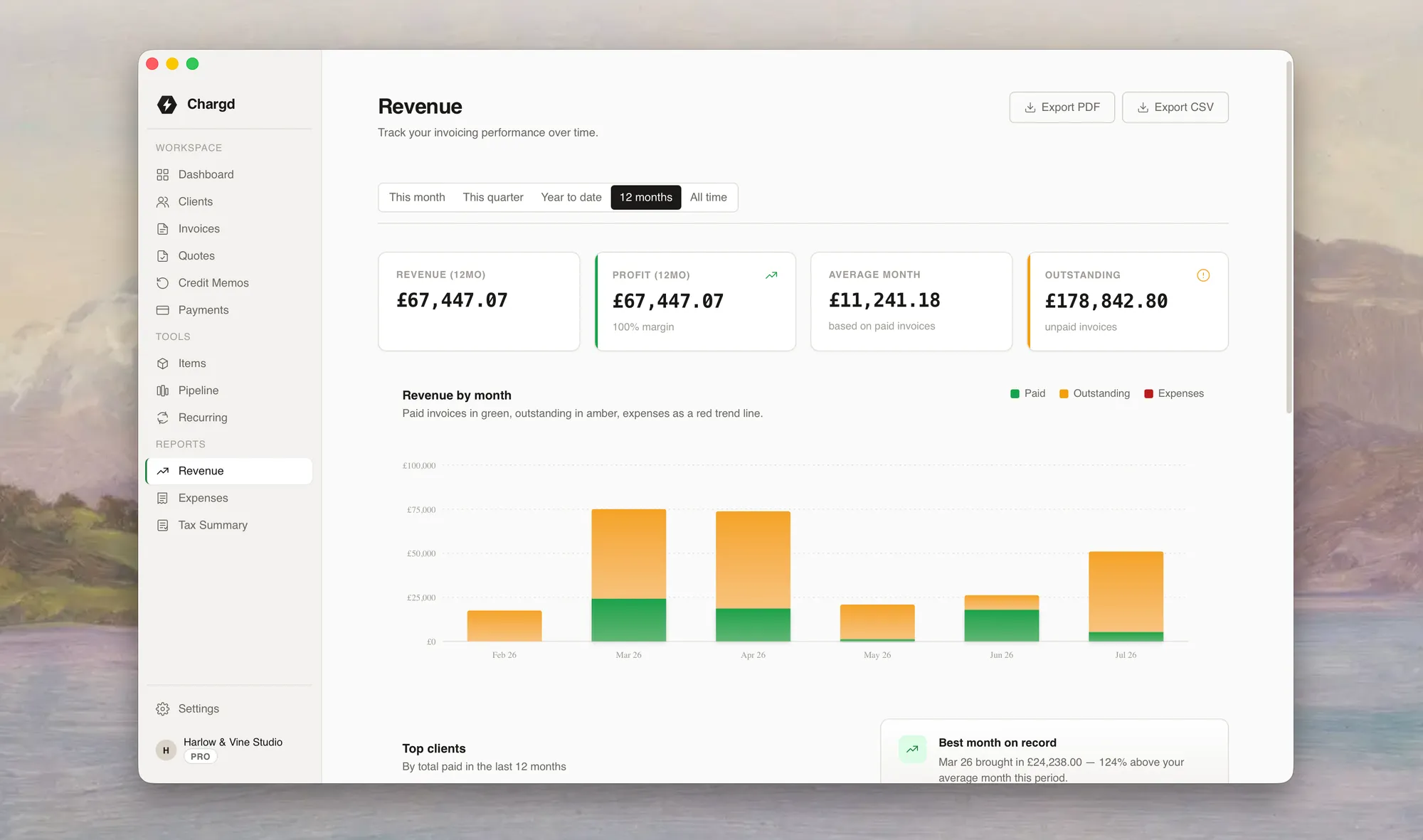
Handles the details, automatically
The parts you'd rather not think about, every time.
Five invoice templates
Classic, Modern, and Minimal are free. Bold and Executive unlock with Pro: pick the one that matches your brand.
Browse templates →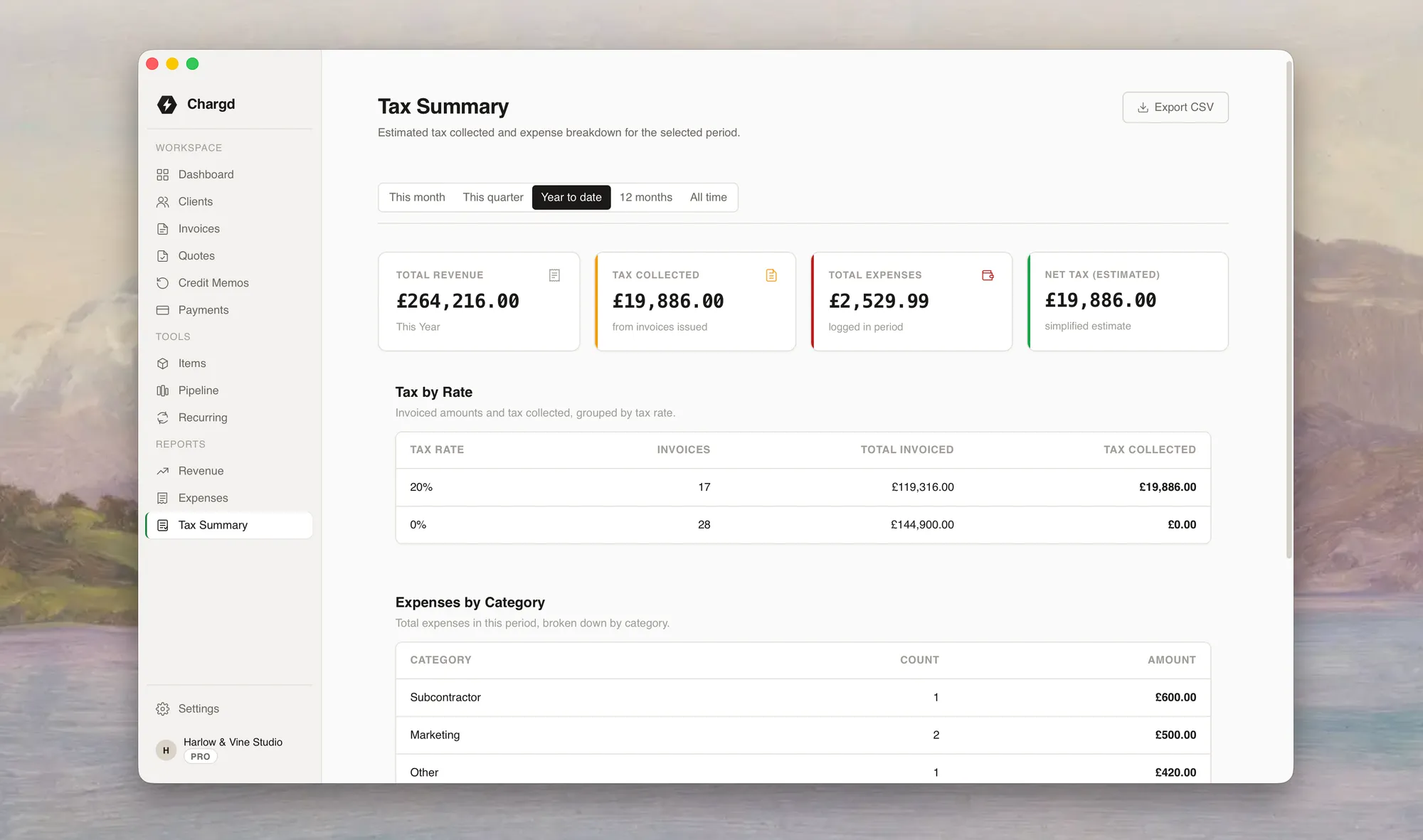
Tax calculated automatically
Set a tax rate per line item or per document. VAT, sales tax, or none, your call, applied consistently.
Learn about tax rates →Rates that remember your clients
Save a client's preferred rate, payment terms, and currency once. Every future invoice reuses it.
Learn about clients →Spans the full billing lifecycle
Chargd covers every stage, from first quote to final payment.
Quote
Put a price on the job before you start. Send a clean, branded PDF the client can approve from their phone.
See how quoting works →Invoice
Accepted quotes convert in one tap. New jobs start from a blank invoice or a saved template.
See how invoicing works →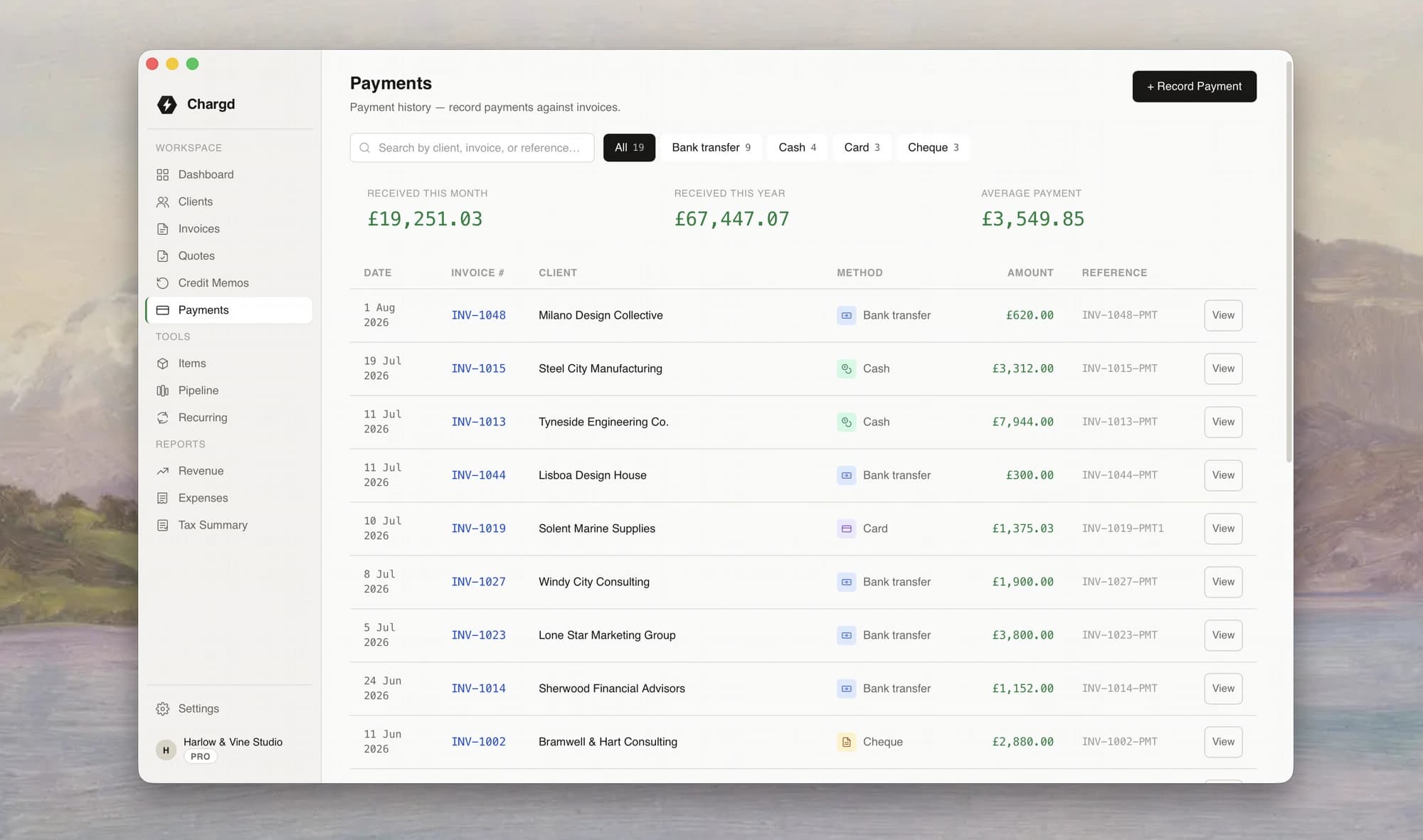
Get paid
Log a payment the moment it lands, by card, bank transfer, or cash, and watch the balance update.
See payment tracking →Built for real invoicing work
Chargd generates PDFs, tracks payments, and keeps a full record.
PDF export
Every invoice and quote generates a pixel-perfect PDF on-device in under 500ms, no upload, no wait.
See PDF export →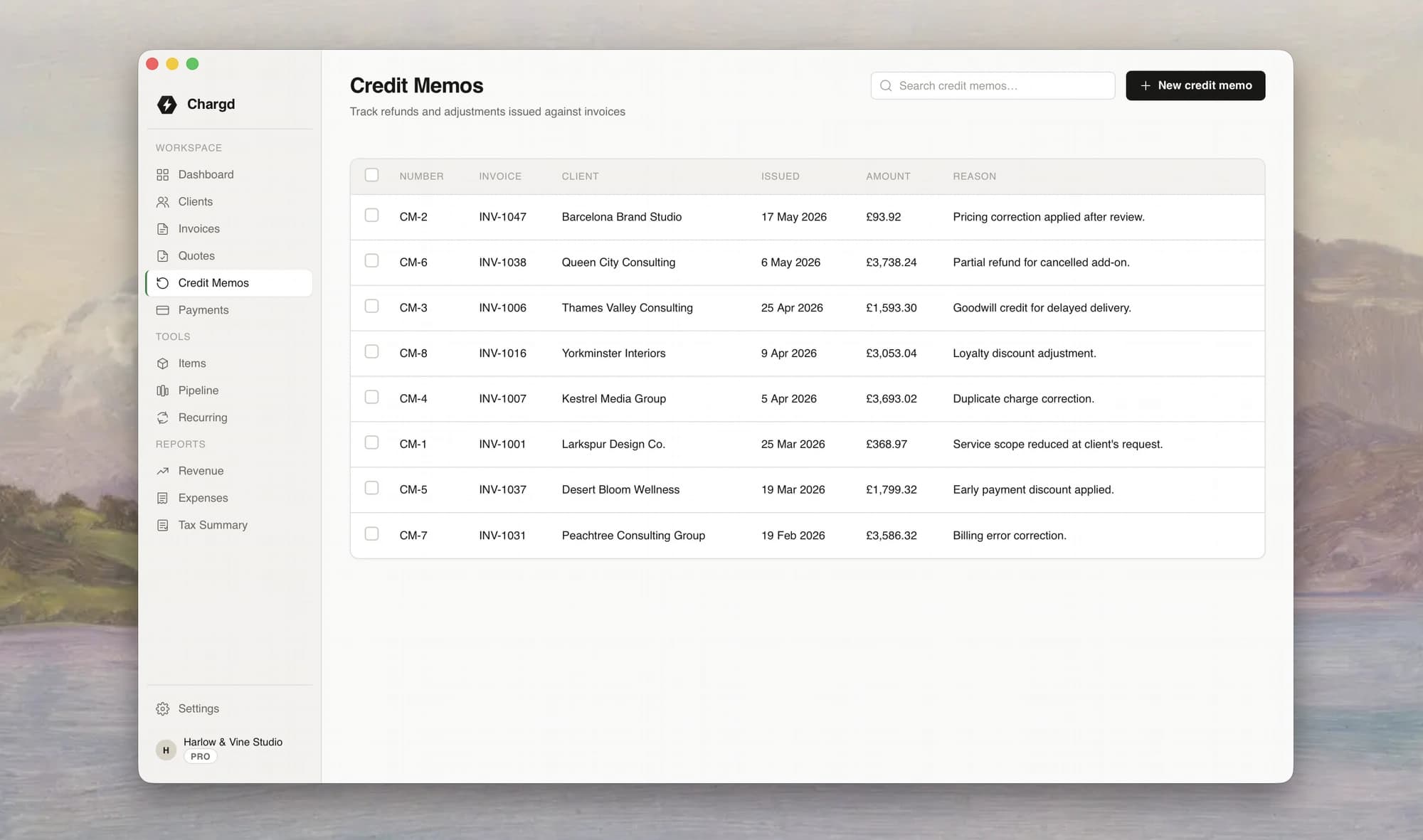
Attachments
Attach photos of the finished job, signed sign-off sheets, or receipts directly to an invoice.
See attachments →Payment history
A running log of every payment, partial or full, against every invoice you've ever sent.
See payment history →Extend with templates and exports
Make Chargd look like your business, and get your data out whenever you want it.
Templates
Five invoice and quote templates out of the box, with custom logo and brand colour on Pro.
Browse templates →Multi-currency
Bill clients in USD, GBP, or EUR from the same account, set the currency per invoice.
Learn about currencies →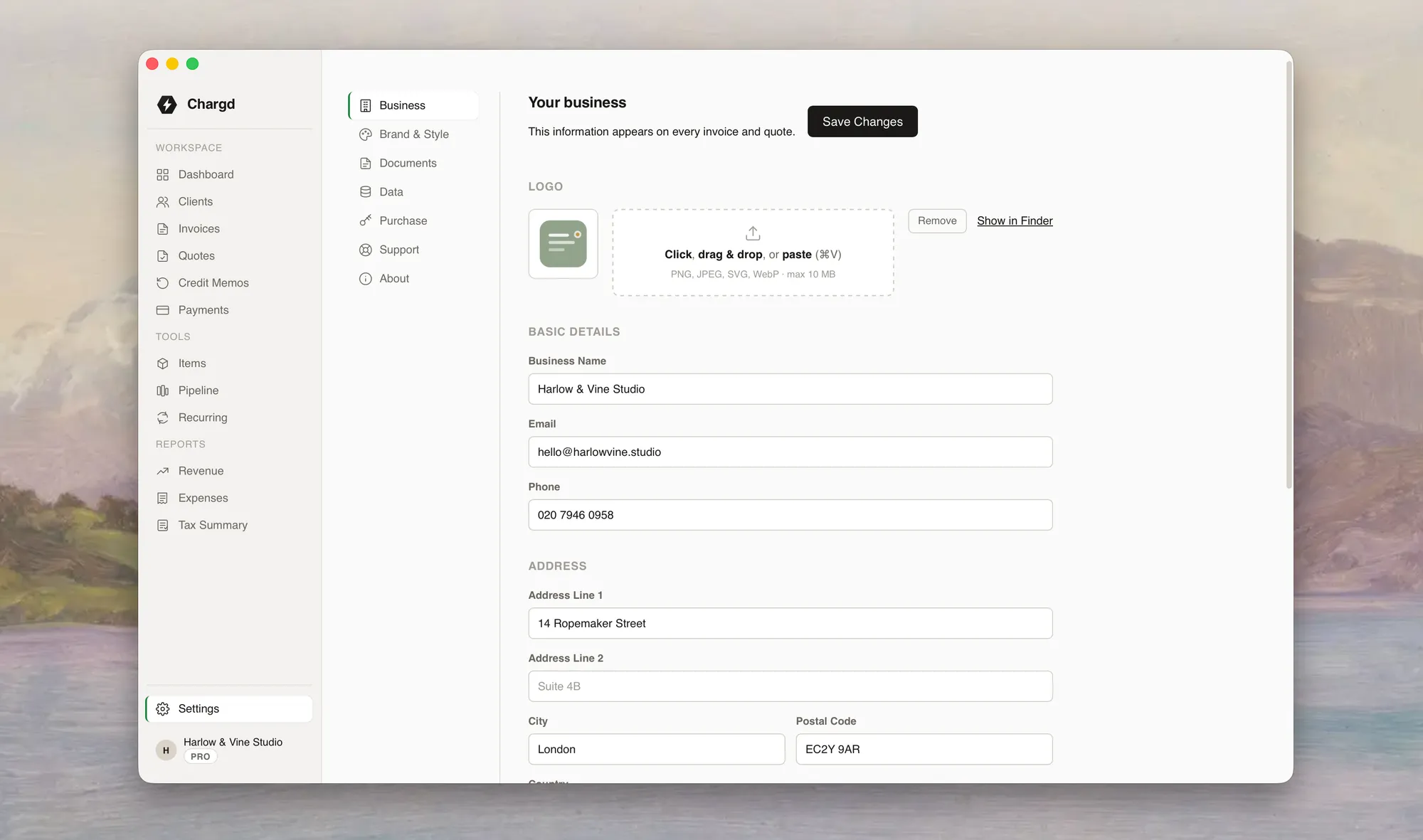
Data export
Export everything to CSV for your accountant, or read your raw backups in any text editor.
Learn about exports →Everything Chargd does
The full feature list, free and Pro, all in one place.
Licensing & pricing
- One-time price
$49 once. No subscription, ever.
- Free tier
The full app, with capped clients, invoices, and templates, no card required.
- Lifetime free updates
Every update after you buy Pro is free, forever.
- 30-day money-back guarantee
No questions asked.
- Instant licence delivery
Your key is emailed the moment you pay.
- Offline licence activation
Paste your key once, no ongoing internet check required to keep Pro unlocked.
- Use on up to 3 MacsPro
One licence, three machines.
- Licence deactivation & transferPro
Free up a machine slot to move Chargd onto a new computer.
Branding & templates
- Custom logo
Upload your business logo onto every invoice and quote.
- Brand colourPro
Set your own accent colour across templates.
- Watermark removalPro
Pro removes the “Made with Chargd” mark from your PDFs.
- Five templates
Classic, Modern, and Minimal are free. Bold and Executive unlock with Pro.
- Per-document template switching
Pick a different look for any single invoice or quote.
- Default template
Choose once in Settings, every new document starts pre-styled.
- Template customizationPro
Fork a built-in template into your own, with custom colours, layout, and typography.
- Locked-in look on send
Once a document is sent, its exact look is preserved, even if you change your default later.
Core documents
- Invoices
Line items, tax, due dates, notes, and full status tracking.
- Quotes
Unlimited, even on the free tier.
- Quote-to-invoice conversion
Convert an accepted quote into an invoice in one tap.
- Credit memosPro
Issue a credit against an invoice without touching the original.
- Payment receipts
A dedicated proof-of-payment PDF, separate from the invoice itself.
- Recurring invoicesPro
Weekly, biweekly, monthly, quarterly, or yearly, calculated correctly across month-ends and leap years.
- Recurring schedule previewPro
See the next five run dates before you save a schedule.
- Void a document
Lock an invoice without deleting it.
- Duplicate invoice
Start a new draft from an existing invoice.
- Sales pipelinePro
A simple kanban board to track leads through Proposal, Negotiation, Won, and Lost.
Clients & items
- Client management
Name, contact details, address, tax number, and notes for every client.
- Client history
Every invoice, quote, and payment tied to a client in one place.
- Client search
Instant filtering by name, company, or email.
- Item catalogue
Save the services and products you bill for again and again.
- Quick-pick items
Autocomplete line items as you type, sorted by how often you use them.
- Save-as-item
Turn any line item into a reusable catalogue entry on the spot.
Financial tracking
- Payment recording
Log payments against any invoice, in full or in part.
- Partial payments
Invoices update to “Partial” automatically until fully paid.
- Expense tracking
Log costs by category, with an optional link to a client.
- Tax & VAT
Per-line or document-wide tax rates, tracked separately from the subtotal.
- Multi-currency
Bill in USD, GBP, or EUR, set per client or per invoice.
- Revenue reportsPro
Monthly trends, top clients by revenue, and period-over-period comparisons.
- Tax summary reportsPro
Quarterly revenue, tax collected, and net liability, ready for your accountant.
- Export reportsPro
Send any report out as a PDF or CSV.
Data, import & backup
- CSV import
Bring existing clients in with a guided column-mapping wizard.
- Bulk PDF exportPro
Export a batch of invoices as PDFs in one action.
- Human-readable backups
A full data export in plain JSON you can open in any text editor.
- Draft auto-save
Every keystroke is saved, nothing is lost if you close the app mid-invoice.
- Crash recovery
Reopen after a crash and choose to restore your unsaved draft.
- Soft delete
Deleted records go to Trash, not oblivion.
- Database health checks
Corruption and lock issues are caught and explained, not left to crash the app.
- Sample data
Explore a fully populated app with one tap, then clear it with another.
PDF & output
- Fully offline PDF generation
No server round-trip, ever.
- Sub-500ms PDFs
Generated on-device, pixel-matched to the on-screen preview.
- Native save dialog
Choose exactly where your PDF goes.
- Smart filenames
Auto-named “Chargd - INV-001 - Client Name.pdf”.
- Reveal in Finder
Jump straight to a saved PDF.
- Share sheet support
Send a PDF straight from the preview screen.
- Live preview
Watch your invoice's exact PDF layout update as you type.
Workflow & UX
- Guided onboarding
Set up your business details before your first document goes out.
- Send validation
Chargd checks for missing details before a document is marked sent.
- Custom invoice numbering
Set your own prefixes, like INV- or QT-.
- Next-number preview
See exactly what your next invoice number will be as you type a prefix.
- Keyboard shortcuts
⌘N for a new invoice, ⌘K to search everything, and more.
- Global search
Find any invoice, quote, or client instantly.
- Status filters
Filter any list by Draft, Sent, Paid, Overdue, and more.
- Accessible forms
Inline validation and clear error messages throughout.
Platform & security
- Offline-first, always
Zero network calls during normal use.
- No tracking
No analytics SDKs, no logins, no accounts to breach.
- Redacted logs
Sensitive data is stripped from error logs automatically.
- Opt-in auto-updates
You approve every update; nothing installs silently.
- Code-signed & notarized
Every release is signed for macOS.
- Native performance
Sub-2-second launch, smooth scrolling through thousands of invoices.
- Dark mode
Full light and dark theme support.
Trusted by tradespeople and freelancers
“I quote a job on-site, the client signs on their phone, and it's already an invoice by the time I'm in the van.”
“Every payment against every invoice, going back three years, still sitting on my laptop. No account to lose.”
“The tax rate is set once per client and it's just right on every invoice after that. One less thing to check.”