Reports · Tax summary · Exports · Pro
Tax and revenue reports
Revenue trends, top clients and tax collected by quarter, ready to hand to your accountant.
The tools for the job
The parts of Chargd that do the most work here. Everything else in the app is there when you need it.
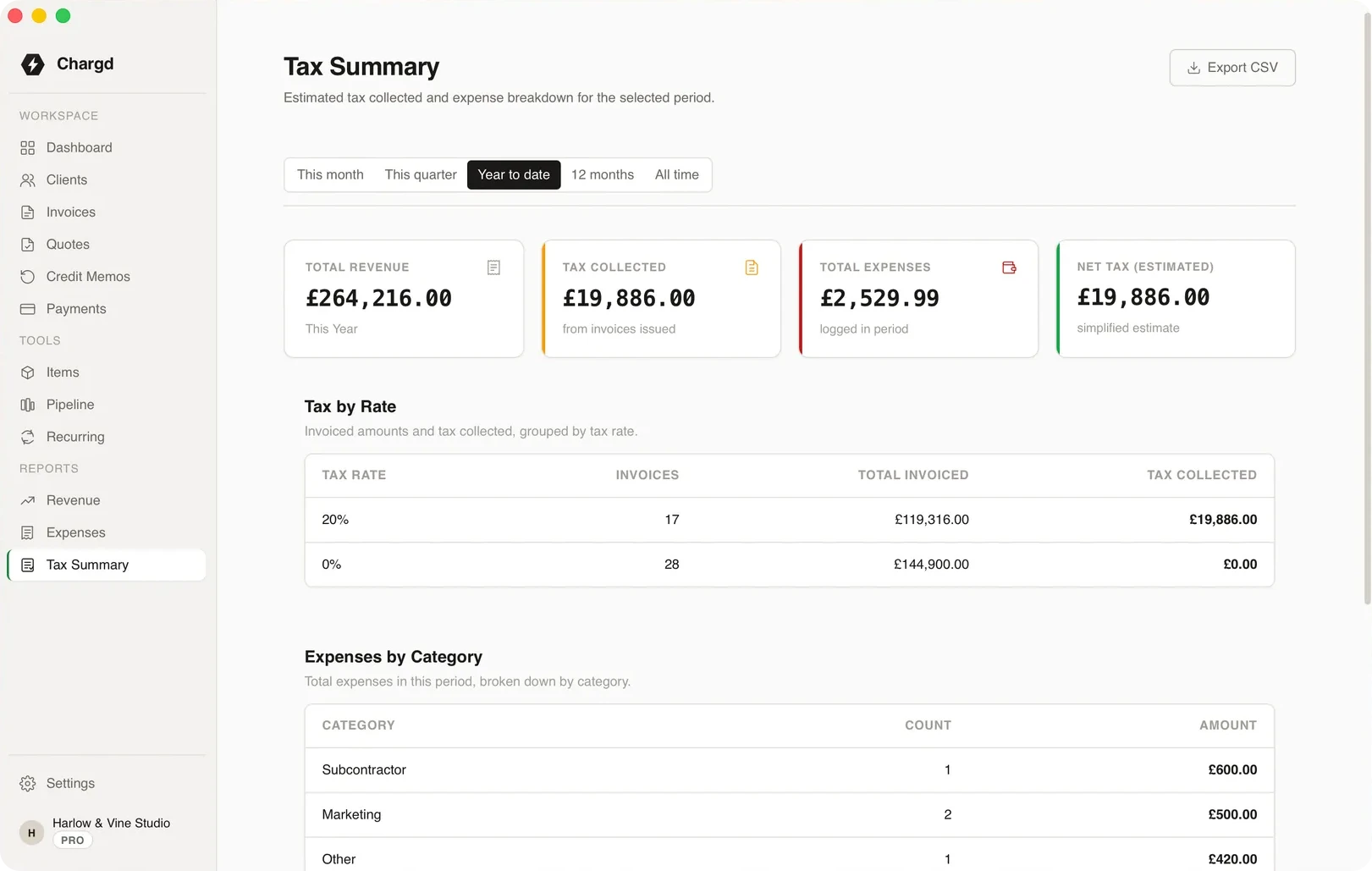
Tax summary
Your quarter on one page
Revenue, tax collected and net liability for any period, calculated from your invoices and expenses.
- 01Tax set per line, totalled per period.
- 02Expenses included.
- 03Export as PDF or CSV.
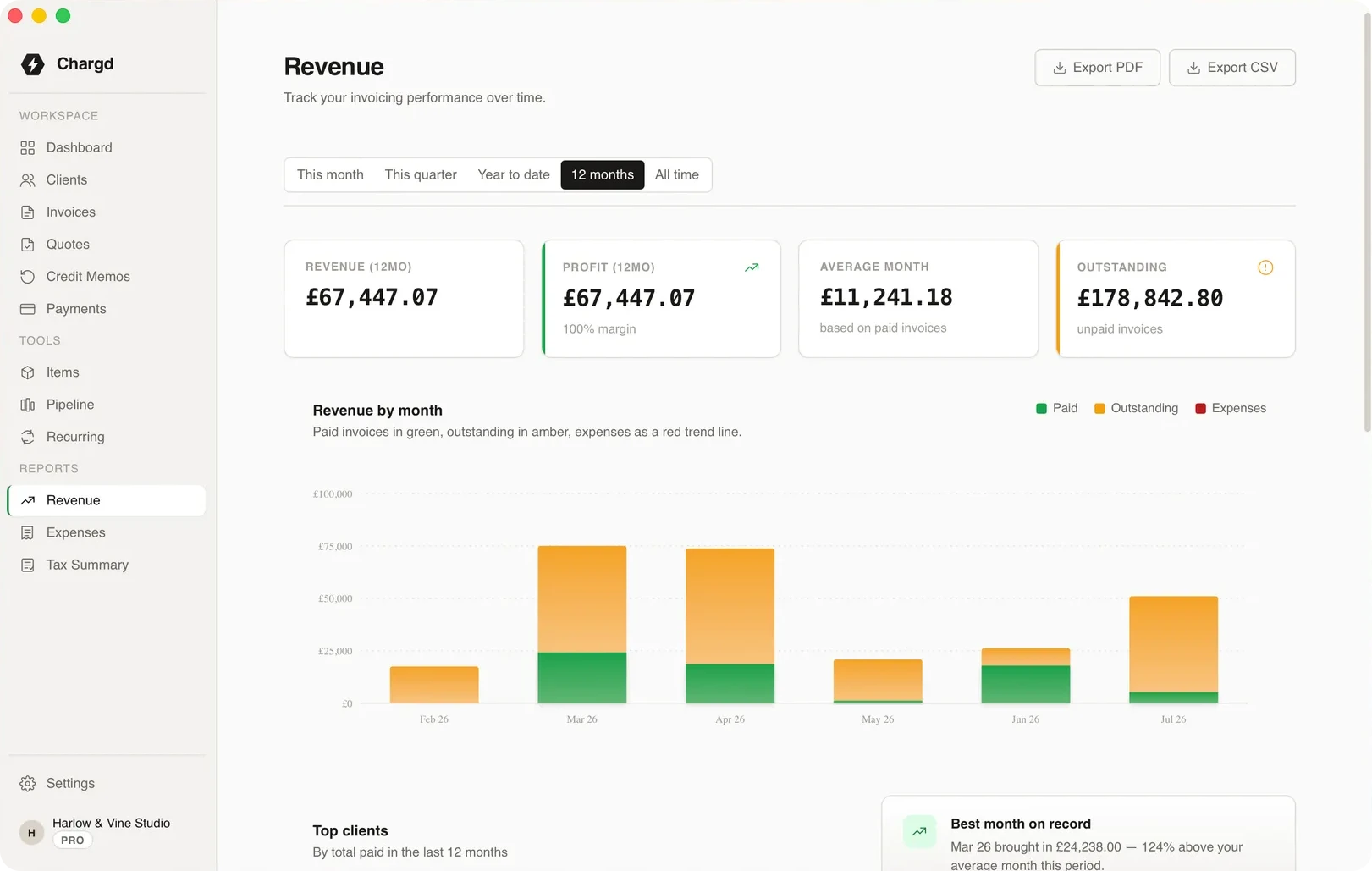
Revenue
See the trend, not just the total
Monthly revenue, top clients and period-over-period comparisons.
- 01Compare this quarter with last.
- 02See which clients matter most.
- 03Bulk-export invoices as PDFs.
Quarter end, without the scramble
What handing over your numbers looks like.
- 01
All quarter
YouInvoice and record payments as normal.

ChargdTotals tax per line as you go.
Tracking - 02
Expenses
YouLog what you spent.
ChargdAdds them to the period.
Logged - 03
Quarter end
YouOpen the tax summary.
ChargdShows revenue, tax collected and net liability.
Ready - 04
Hand over
YouExport it.
ChargdProduces a PDF or CSV for your accountant.
Exported
What comes with it
Used here · 4
- Tax summary
- Revenue report
- Expenses
- Exports
Free, forever
- Up to 5 clients
- Quotes and invoices
- PDF export
- Classic, Modern & Minimal templates
Pro · $49 once
- Unlimited clients
- No watermark, your branding
- Recurring invoices
- Credit memos
- Revenue & tax reports
- Sales pipeline
Questions
Does Chargd file my tax return?
No. Chargd gives you accurate figures and exports. Filing is done by you or your accountant.
Does it support Making Tax Digital?
Chargd doesn't submit MTD returns. Its exports can be passed to the software or accountant that does.
Are reports in Free?
Revenue and tax reports are part of Pro, which is $49 once.
More by need
Make this quarter easy.
Invoice in Chargd and the summary builds itself.
Get paid without a subscription.
Free forever tier. 30-day refund on Pro.