Quotes · Conversion · No retyping
Quotes that become invoices
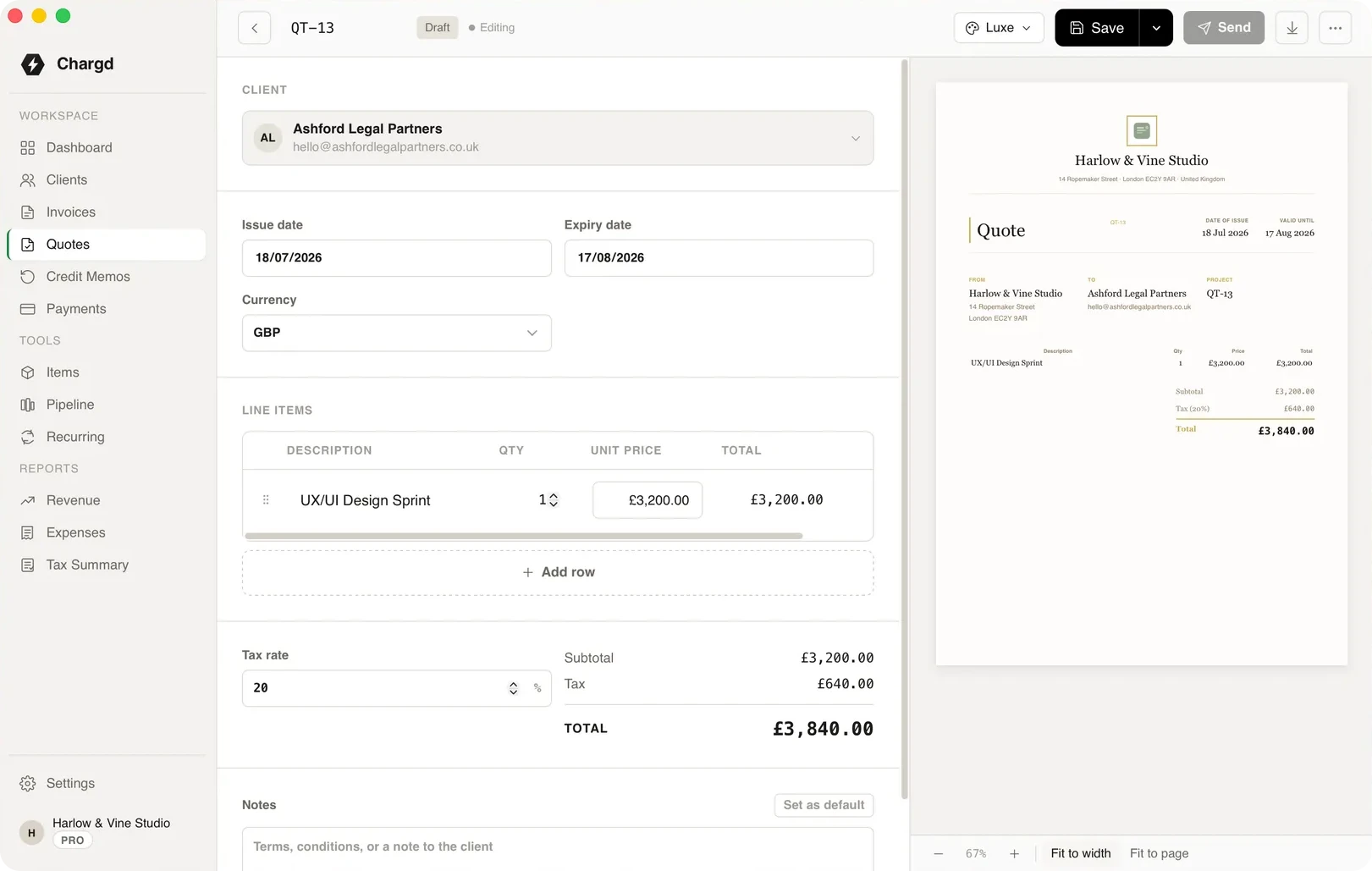
Send the quote, mark it accepted, and it becomes the invoice with every line intact.
The tools for the job
The parts of Chargd that do the most work here. Everything else in the app is there when you need it.
Quotes
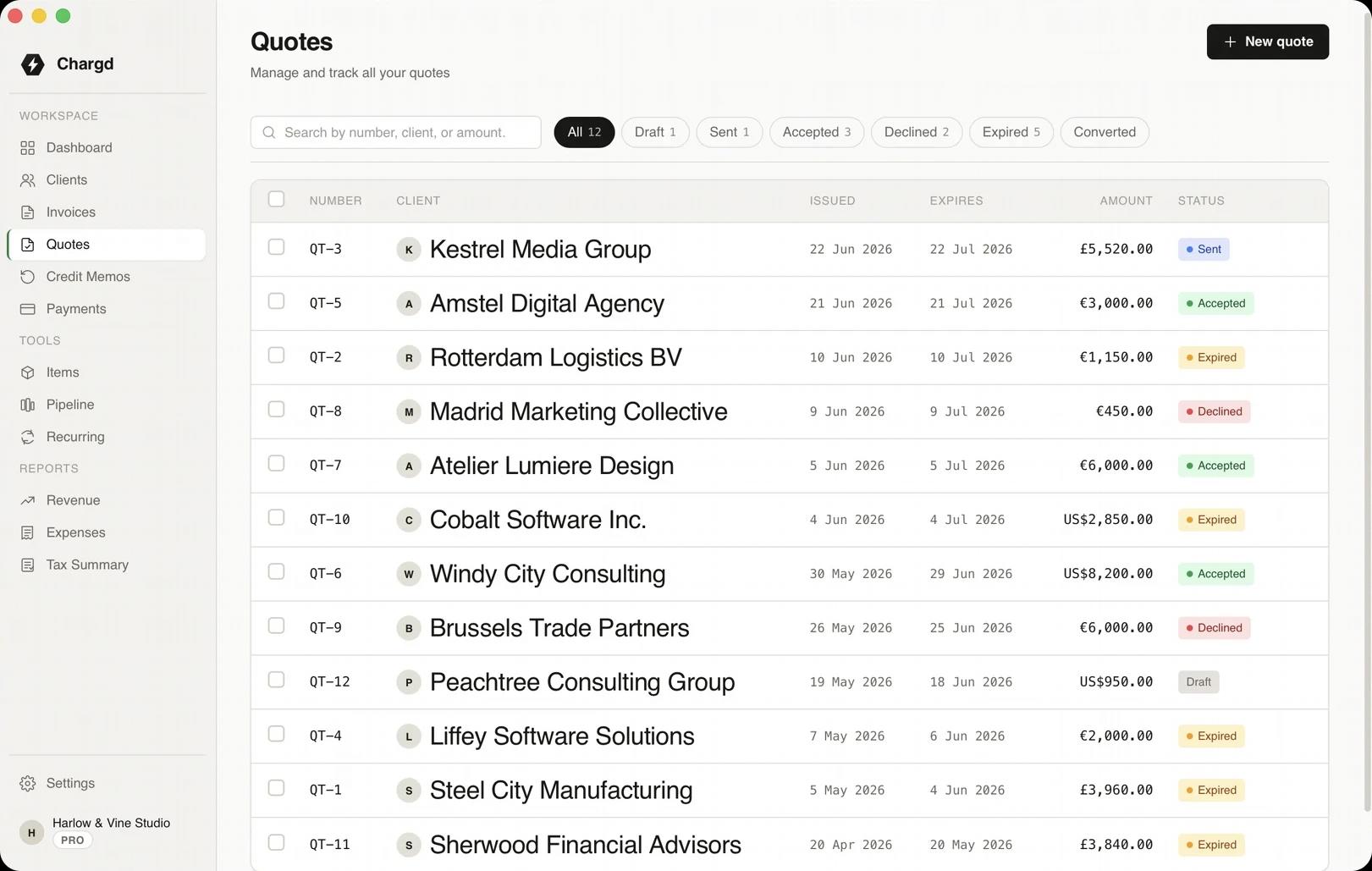
Quotes with a status you can trust
Draft, sent, accepted, declined or expired. You always know where each one stands.
- 01Set an expiry date on every quote.
- 02Filter the list by status.
- 03Search by number, client or amount.
Conversion
One step from yes to invoice
Only an accepted quote can become an invoice, so your books never bill for work nobody agreed to.
- 01Every line, price and tax rate carried across.
- 02The quote stays on file as the record.
- 03The invoice is ready to send immediately.
From quote to paid
The whole loop, with nothing typed twice.
- 01
Draft
YouBuild the quote from saved items.

ChargdCalculates totals and tax.
Draft - 02
Send
YouSend the PDF to the client.
ChargdMarks it sent and starts the expiry clock.
Sent - 03
Decision
YouMark it accepted.
ChargdUnlocks conversion.
Accepted - 04
Convert
YouConvert it.
ChargdCreates the invoice with every line intact.
Invoiced - 05
Paid
YouRecord the payment.
ChargdCloses the loop.
Paid
What comes with it
Used here · 4
- Quotes
- Invoices
- Items library
- Templates
Free, forever
- Up to 5 clients
- Quotes and invoices
- PDF export
- Classic, Modern & Minimal templates
Pro · $49 once
- Unlimited clients
- No watermark, your branding
- Recurring invoices
- Credit memos
- Revenue & tax reports
- Sales pipeline
“I quote a job, the client signs off, and it converts straight into an invoice. I used to retype every line item twice, now I don't.”
Questions
Is quote conversion in the free version?
Yes. Quotes and invoices, including conversion, are in Free.
Can I edit the invoice after converting?
Yes, while it's still a draft.
What happens to the quote?
It stays on file, marked as converted, so you have the full record.
More by need
Start with one quote.
Send it, mark it accepted, and watch it become the invoice.
Get paid without a subscription.
Free forever tier. 30-day refund on Pro.