Plumbing & heating · Quotes · Invoices · Offline
Chargd for plumbers
Quote the boiler swap in the customer's kitchen, and have the invoice ready before you're back in the van.
The tools for the job
The parts of Chargd that do the most work here. Everything else in the app is there when you need it.
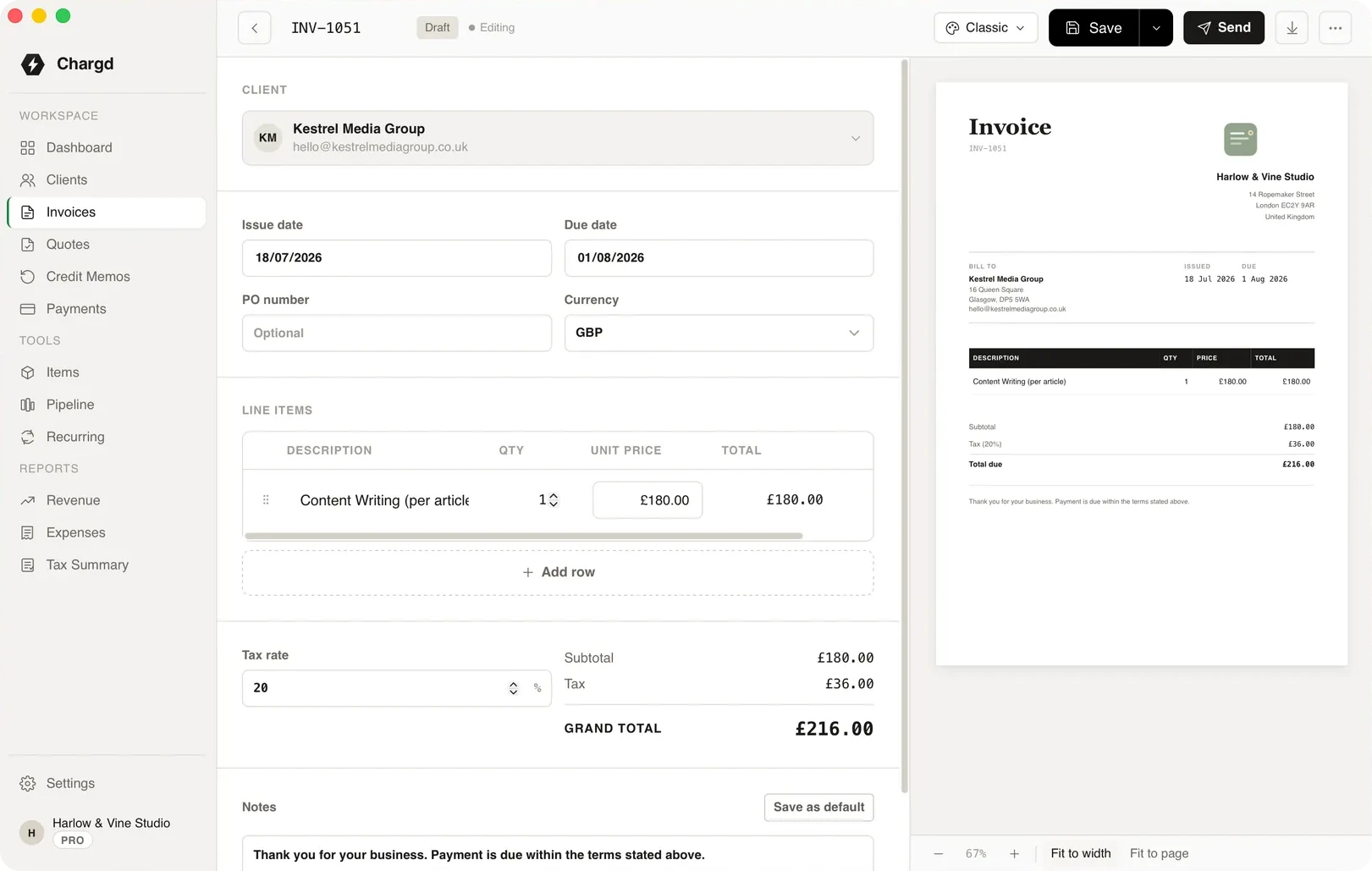
Invoices · Live preview
See the PDF while you type it
Every change shows up in the preview as you make it, so what you send is exactly what the customer sees.
- 01Add your logo and business details once in Settings.
- 02Pick a template that suits your brand.
- 03Export a clean PDF in one click.
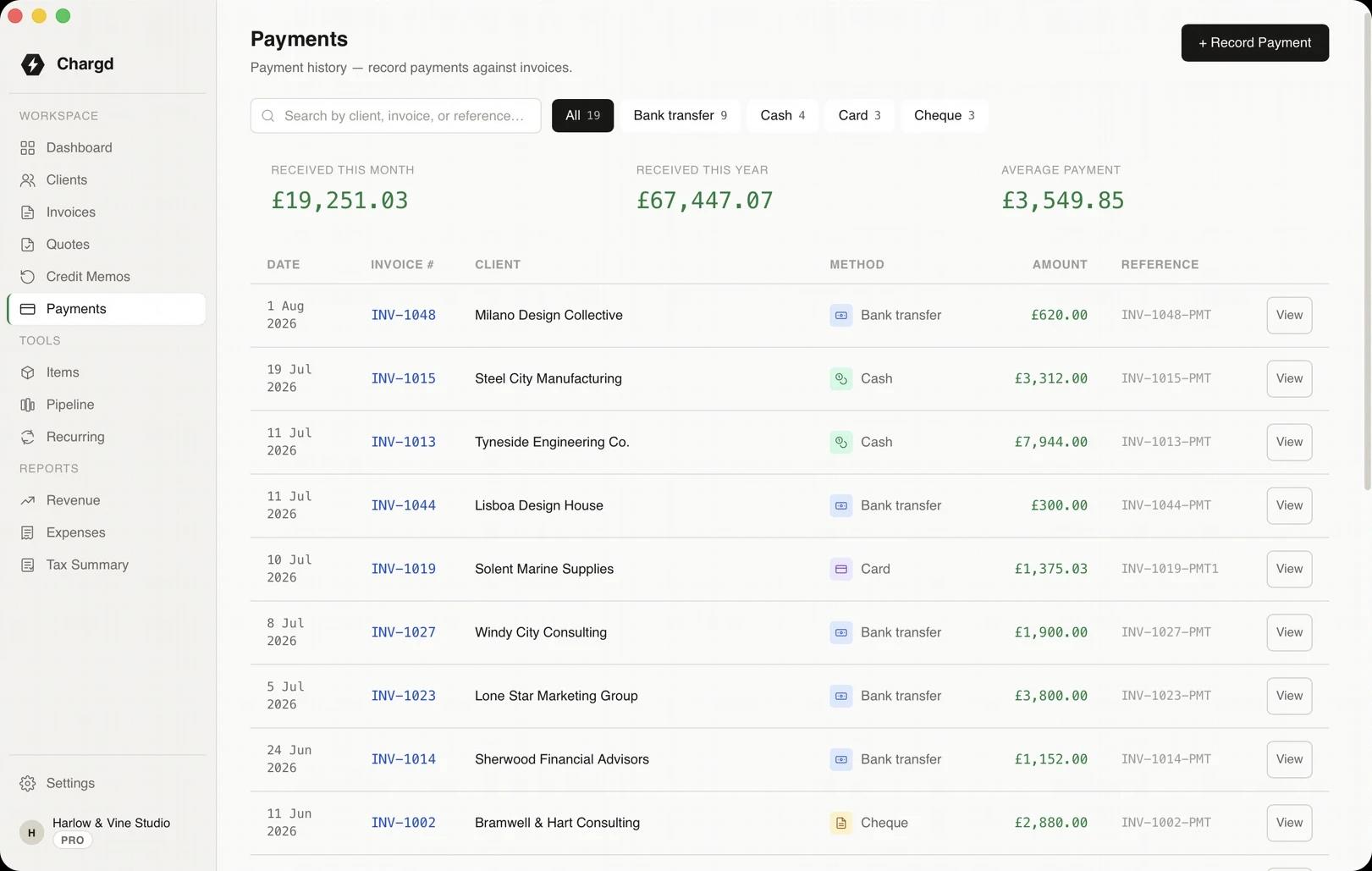
Clients · Payments
Know who still owes you
Each customer's record shows their invoices and what's outstanding, so chasing a payment takes seconds.
- 01Import existing customers from a CSV.
- 02See balances per client.
- 03Record part-payments as they come in.
One job, start to finish
A combi boiler replacement, from survey to final payment.
- 01
The survey
YouNote the parts and hours while you look at the old system.

ChargdPulls your saved boiler, flue and labour items into the quote.
Draft - 02
The quote
YouSend the quote from the customer's kitchen.
ChargdProduces a branded PDF with VAT worked out per line.
Sent - 03
The deposit
YouRecord the deposit the customer pays up front.
ChargdKeeps it against their record so the balance is always right.
Part-paid - 04
Fitted
YouConvert the quote into the final invoice.
ChargdCarries every line across, no retyping.
Invoiced - 05
Settled
YouRecord the final payment.
ChargdMarks it paid and adds it to this quarter's tax summary.
Paid
What comes with it
Used here · 5
- Quotes
- Invoices
- Clients
- Payments
- Tax summary
Free, forever
- Up to 5 clients
- Quotes and invoices
- PDF export
- Classic, Modern & Minimal templates
Pro · $49 once
- Unlimited clients
- No watermark, your branding
- Recurring invoices
- Credit memos
- Revenue & tax reports
- Sales pipeline
“No WiFi on site is normal for me. I build the invoice in the van between jobs and the PDF is ready before I've even left the car park.”
Questions
Can I take a deposit?
Yes. Record any payment against an invoice, including a part-payment, and Chargd keeps the outstanding balance up to date.
Can I bring my existing customers over?
Yes. Import clients from a CSV file, or add them as you go.
Do I need an account?
No. Download it, open it and start. Everything is stored on your own machine.
What does it cost?
Free to start. Pro is $49 once, with a 30-day refund.
More by trade
Start with one job.
Add your usual parts once, and the next boiler quote takes minutes.
Get paid without a subscription.
Free forever tier. 30-day refund on Pro.